


Composition or delivery?
A better thumbnail frame and a CDN solve different problems. Decide which one is holding up your website.
Choose MediaToolkit for per-size thumbnail crops and image-text editing in one WordPress workflow. Consider ThumbPress if CDN delivery, cleanup or broader image editing are priorities; check which edition and services cover your needs.
Built with love for

Think about the work you repeat, the services you need and the changes you want to make.
A better thumbnail frame and a CDN solve different problems. Decide which one is holding up your website.

Compare the edition and service allowance you actually need, rather than the longest feature list.

Check your thumbnails, originals and caches. Keeping an attachment URL is only part of the update.
Manufacturer documentation checked 20 October 2026. This is a feature-scope comparison, not a performance test. Editions and services differ; see the sources in the FAQ.
| Comparison point | MediaToolkit | ThumbPress |
|---|---|---|
| Cropping and editing |
A frame for each thumbnail Set focal points, preview sizes and save manual exceptions while preserving the source. |
Broader image editor Pro advertises cropping, rotation, drawing and filters. Equivalent per-size crop control is unverified. |
| Thumbnail generation |
Missing or rebuilt sizes Generate missing files or rebuild sizes with valid saved MediaToolkit crop recipes. |
Regeneration and controls Thumbnail regeneration and generation controls are listed. |
| Image replacement |
Same-format image updates Keep the main URL, attachment ID and image texts. Thumbnails and custom crops are rebuilt. |
Image replacement Replacement is advertised; compare its exact behaviour on your setup. |
| Compression and formats |
Local processing and extra files Optimize selected sizes; generate WebP/AVIF where supported. Automatic frontend delivery is not included. |
Compression and conversion Compression and modern-format conversion are advertised; edition conditions apply. |
| Delivery and cleanup |
Library inspection Media Insights shows measured files and review candidates. No CDN or automatic unused-image deletion. |
CDN and cleanup options The publisher lists CDN, duplicate and unused-image tools. |
| Plans |
Yearly subscription All features, Media Insights and email support in every plan. Choose your website allowance. |
Free and Pro options The pricing page offers annual and lifetime options. Check current terms and allowances. |
Choose for recurring editing
…you repeatedly adjust thumbnail composition, review image texts and update images inside WordPress. These tasks share one toolkit, with all features in every annual plan.
Choose for broader requirements
…CDN delivery, cleanup or broader image editing are priorities. Its published feature set merits a closer look; select the edition and services for those requirements.
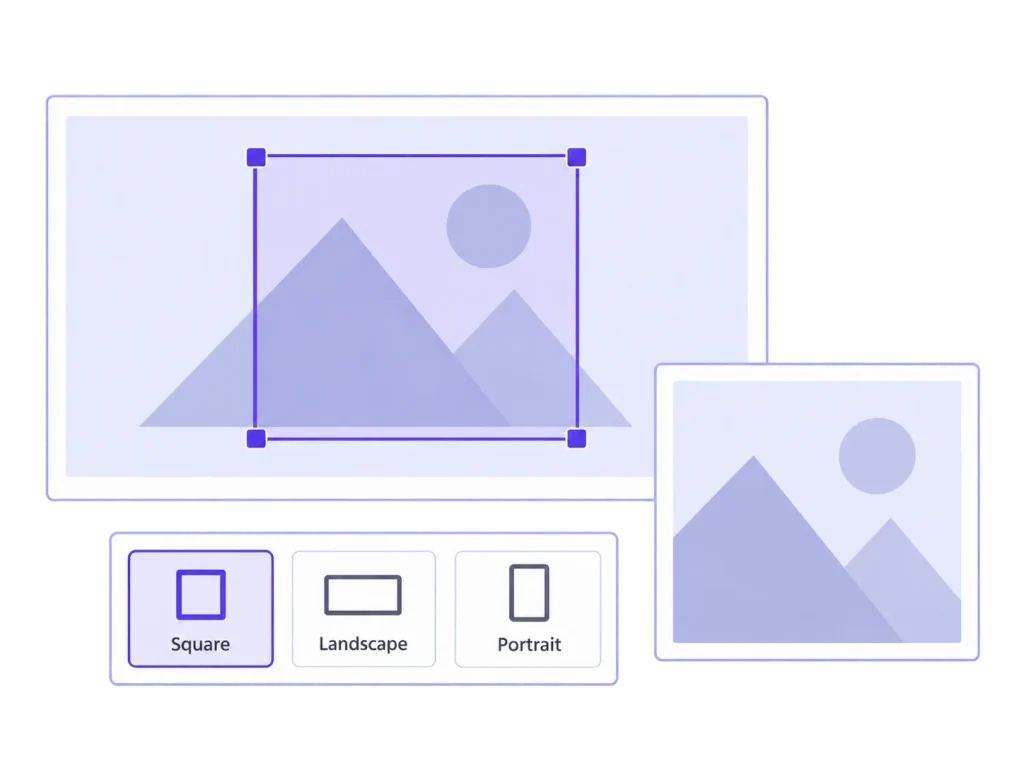
Two examples of the editing work that makes MediaToolkit worth considering.
A portrait lands in a wide layout. Choose the thumbnail size, adjust the frame and inspect the preview. A focal point gives other sizes a starting position; manual crops handle the exceptions. Your original stays available.
A saved crop becomes useful when the page uses that generated size. Check the actual card or article placement after saving. A separate CSS crop or a layout using the original may need its own adjustment.
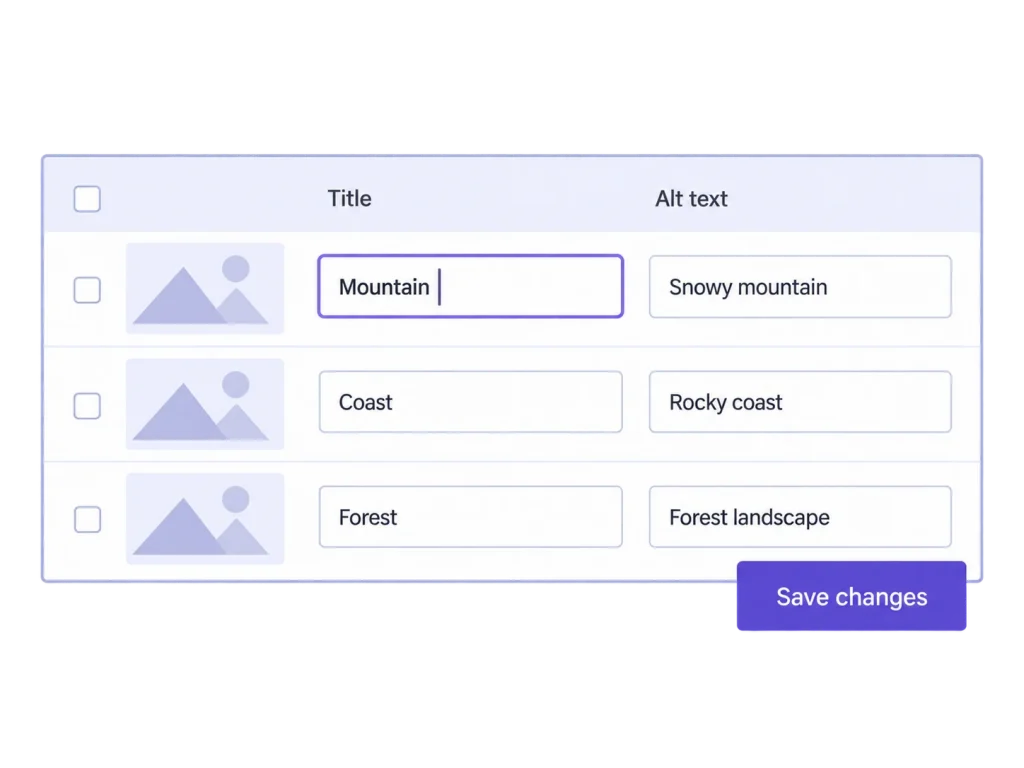
Filter images with empty alt text, review titles, captions and descriptions together, then save the changes. You write the words. Updates affect media records; text already embedded in posts remains a separate editorial task.
Review what the image communicates in its intended context before filling an empty field. Save the media-library changes together, then check any existing published content separately. A completed table is a useful review step, not an accessibility guarantee.
No. MediaToolkit focuses on recurring media editing and management. It does not include ThumbPress-style CDN delivery, automatic duplicate cleanup or a drawing-and-filters editor. Choose against your actual requirements.
Yes. Its Pro editor advertises cropping and other edits. MediaToolkit provides manual crops per thumbnail size and focal points. This comparison has not established equivalent per-size behaviour in ThumbPress.
There is no blanket speed promise. Resize and local optimization can change image files; results depend on your images, settings and website. Additional WebP/AVIF generation does not automatically deliver those files to visitors.
It is a yearly subscription that renews automatically. Cancel for the end of the paid term. Plans share all features, Media Insights and email support; the website allowance differs.
MediaToolkit product documentation and the linked ThumbPress product, editor and pricing pages, checked 20 October 2026. This is a documentation-based comparison, with no claimed head-to-head benchmark or universal winner.
Related workflows: Thumbnail cropping and focal points · Bulk edit image texts · MediaToolkit for agencies.
Manufacturer sources, checked 20 October 2026: ThumbPress product overview · ThumbPress image editor · ThumbPress plans. This comparison uses published documentation, not a head-to-head performance test.