


Words or filenames?
An image title and its file name are separate things. Choose whether you need editorial text changes, file renaming or both.
Consider MediaToolkit for per-size thumbnail crops, focal points and image-text editing in WordPress. Consider Media Library Tools if file renaming, CSV workflows or cleanup are priorities; both plugins cover metadata editing.
Built with love for

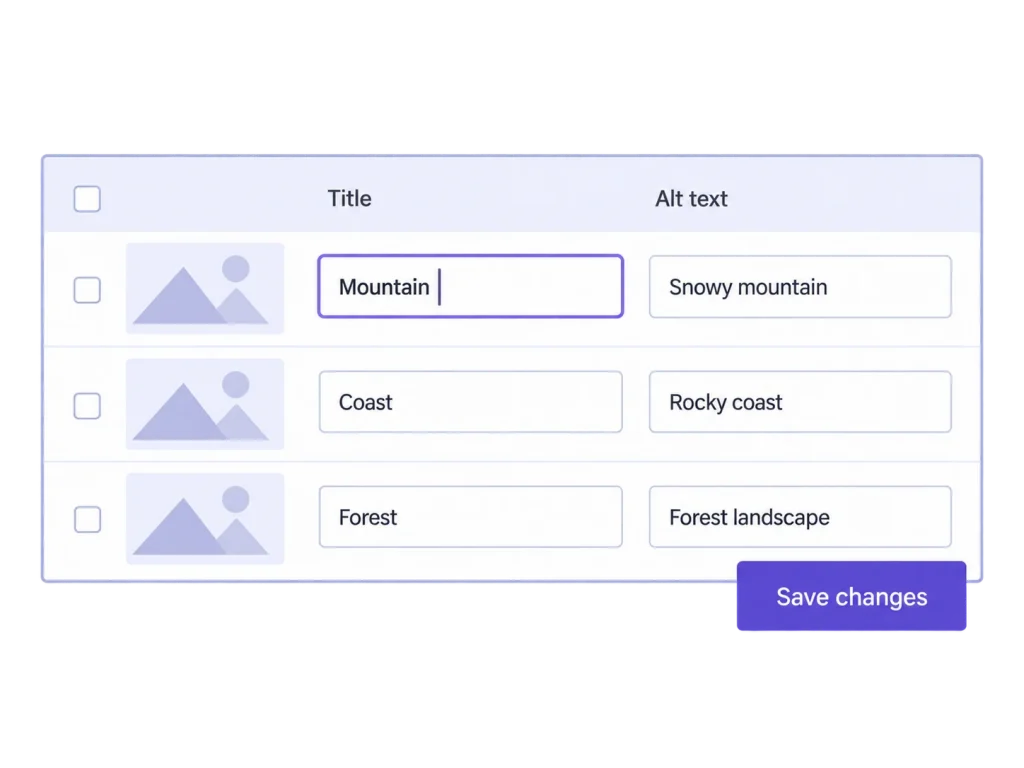
Missing image texts, awkward crops and inconsistent filenames call for different tools.
An image title and its file name are separate things. Choose whether you need editorial text changes, file renaming or both.

A duplicate scan will not fix a cut-off portrait. A crop editor will not merge duplicate files.

Decide where your team wants to review changes and whether CSV import belongs in the workflow.
Manufacturer documentation checked 20 October 2026. Both products cover several media tasks. Free/Pro boundaries and usage limits matter; source links are in the FAQ.
| Comparison point | MediaToolkit | Media Library Tools |
|---|---|---|
| Image texts |
Review and edit in a table Search, filter empty fields and save changes to alt text, titles, captions and descriptions together. |
Table and bulk editing Metadata editing overlaps. AI and automatic metadata options are also listed. |
| Filenames and CSV |
Editorial texts stay separate Filename renaming and CSV import/export are not included. |
Rename and CSV workflows Renaming and export are listed; CSV import and expanded rename operations are Pro features. |
| Image composition |
Manual thumbnail control Set focal points and adjust crops for individual sizes. |
Sizes and regeneration Custom sizes are listed in Pro; regeneration is listed too. Equivalent manual per-size crops are unverified. |
| Organization and inspection |
Categories and Media Insights Group media hierarchically and inspect measured files, missing alt text and missing local files. |
Groups and usage tracking Groups and image-usage tracking are documented. |
| Compression and formats |
Choose the files to process Local optimization and additional WebP/AVIF generation on supported servers; no automatic delivery. |
Overlapping file tools Compression and additional-format generation are also listed, with free/Pro limits. |
| AI and cleanup |
Human editorial choices No AI image-text generator, duplicate merger or automatic unused-image deletion. |
Additional automation AI, duplicate and rubbish-file workflows are advertised; advanced actions depend on edition. |
Choose for composition and editing
…your repeat work starts with thumbnail framing, image-text review and updating images in place. You want those tasks alongside size controls, categories and library insights.
Choose for rename and data workflows
…filename rules, CSV updates, AI suggestions or cleanup operations drive your requirements. Compare the free and Pro boundaries for the actions you need.
A practical editing route for a library that needs attention before the next content handover.
Use the table to review missing alt text and edit titles, captions and descriptions. Changes can differ by image and be saved together. You keep editorial control; MediaToolkit does not generate AI suggestions or rename the underlying files.
An alt text, a title and a caption serve different editorial purposes. Review each field deliberately rather than repeating a filename everywhere. If renaming or spreadsheet import is also required, evaluate that workflow as a separate purchasing criterion.
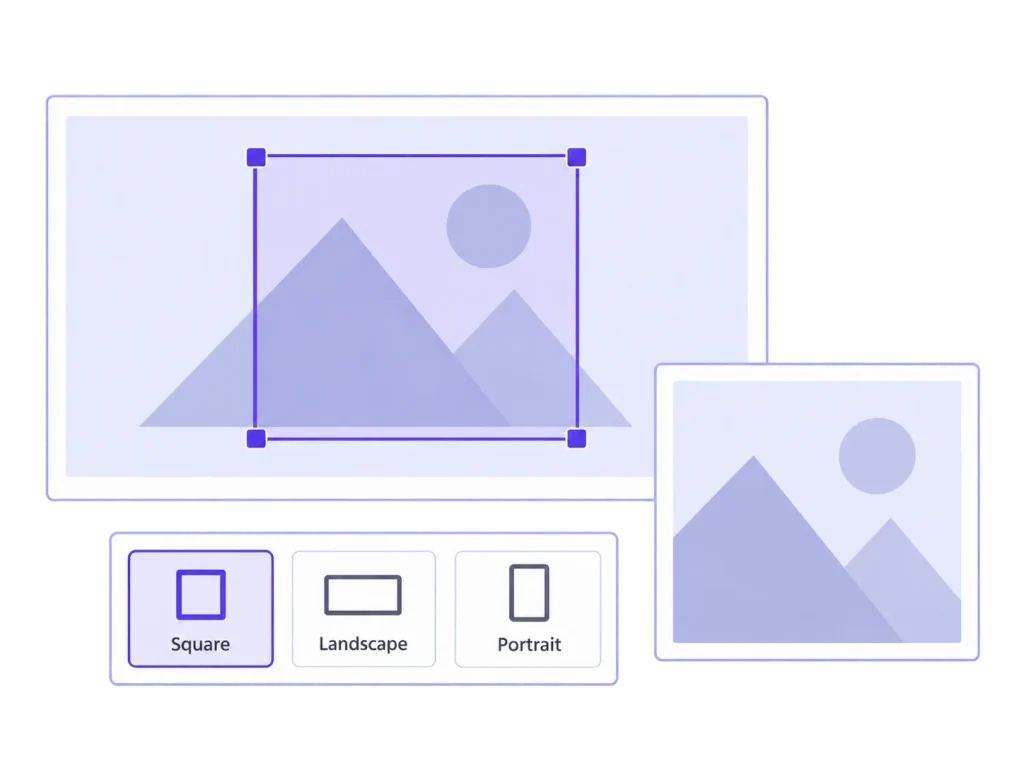
A portrait may need one frame in a square tile and another in a wide article card. Save a crop for each generated size, with a focal point as a common starting position. Your layout must use those sizes to show the result.
Use an image with a recognisable subject and check the square and landscape versions your site displays. That makes composition a concrete evaluation task. A feature label alone does not establish whether two plugins handle those frames in the same way.
Yes. Metadata-table and bulk-editing workflows are documented for both. MediaToolkit lets you review and write image-specific values together. Neither a feature list nor this comparison establishes which interface your team will prefer.
No. Editing a title or alt text changes the media record, not the filename. If your requirement is filename rules or CSV-driven renaming, evaluate the corresponding Media Library Tools features.
No. Media Insights helps review the library, including measured file sizes and missing local files. It is not a usage tracker or automatic deletion tool. Media Library Tools advertises separate cleanup workflows.
Every plan includes the full feature set, Media Insights and email support. It is a yearly subscription with automatic renewal, cancellable at the end of the paid term. Choose your plan by website count.
Publisher information was checked on 20 October 2026 against the linked WordPress.org listing and product page. Those pages differ on some CSV edition wording, so verify your intended action against the current edition before choosing.
Related workflows: Bulk image-text editing · Thumbnail cropping · Organize the media library.
Manufacturer sources, checked 20 October 2026: Media Library Tools on WordPress.org · Media Library Tools product page. This comparison uses published documentation, not a head-to-head performance test.